
10 LinkedIn Ads Mistakes Killing Your B2B ROI
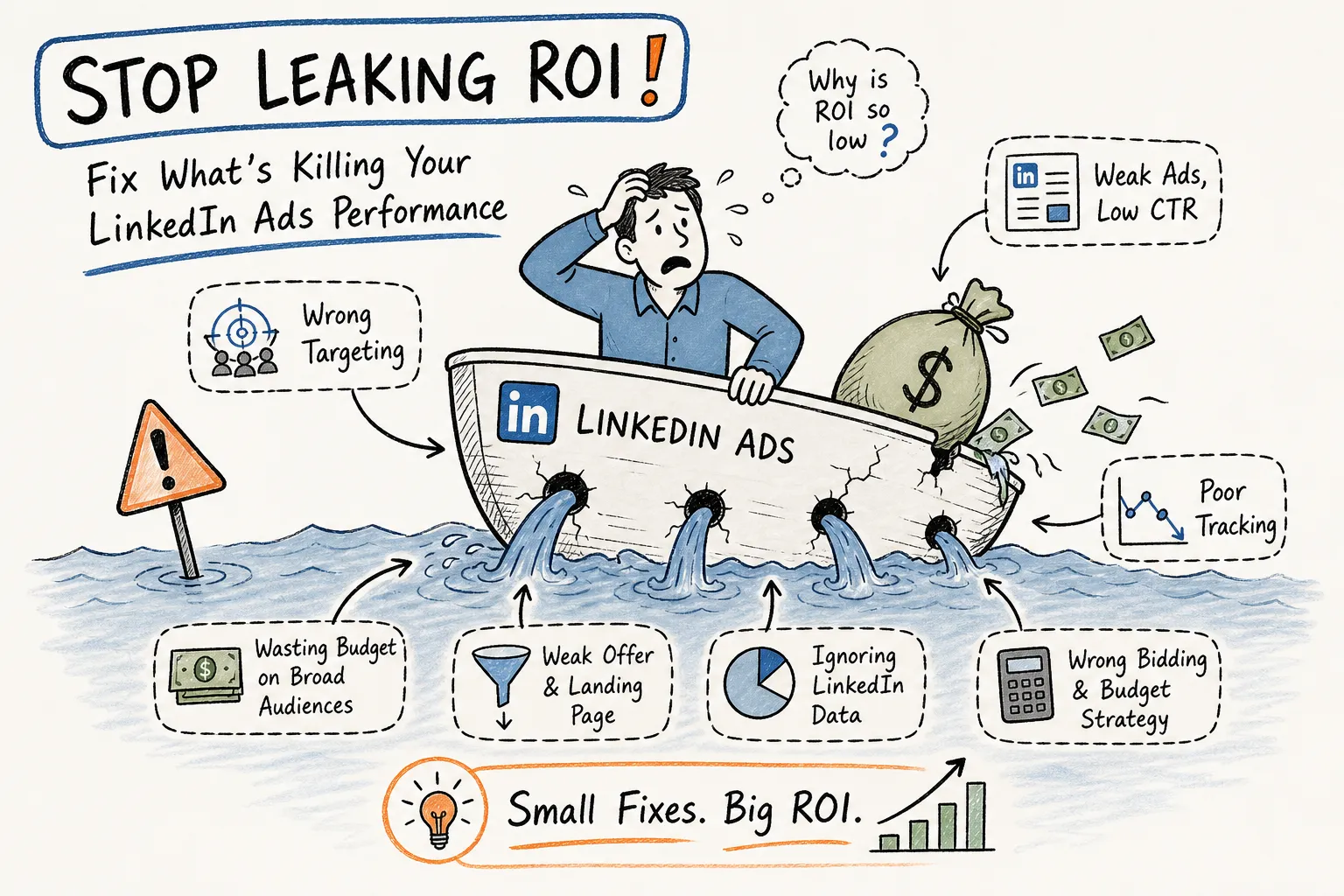
LinkedIn ads carry one of the highest CPCs in paid media. Average costs sit between $5 and $10 per click, and cost per lead frequently lands between $75 and $200, with enterprise-targeted campaigns pushing well past that. That premium only pays off when campaigns are built correctly. Many B2B teams, though, are making common setup mistakes that quietly erode returns.
The failure pattern is consistent: marketers bring habits from cheaper channels, set up campaigns with the same loose structure they’d use on Meta or Google Display, and then wonder why pipeline never materializes. Unlike policy violations that cause rejections, setup mistakes typically show up in CPL that creeps past budget thresholds week after week.
What follows covers ten specific errors across five categories: targeting, campaign setup, ad format and creative, budget and bidding, and tracking. Each one is fixable. The teams consistently beating LinkedIn benchmarks aren’t spending more. They’re making fewer of these mistakes.
Audience targeting mistakes that drain your LinkedIn ads budget
Targeting is one of the largest sources of wasted spend for B2B advertisers on LinkedIn, because the platform’s granular signals can be just as easily misused as they are underused. LinkedIn Campaign Manager gives you more granular B2B audience signals than almost any other platform: job title, company, skills, seniority, industry, and more. It’s common for campaigns to rely on only a couple of those attributes rather than stacking dimensions strategically.
Mistake 1: Setting your audience too broad or too narrow
Very large audiences, think five million members, can dilute targeting to the point where you’re no longer reaching actual decision-makers efficiently. That said, audiences under 50,000 often limit delivery and drive CPM above any reasonable benchmark. For most B2B Sponsored Content campaigns, a practical range of 50,000 to 300,000 members tends to balance relevance with scale, though the right size ultimately depends on your vertical and campaign type.
The fix is stacking dimensions instead of relying on a single attribute. Combining job title with company size and seniority creates a tighter, more relevant audience without killing scale. LinkedIn’s AND/OR logic in Campaign Manager lets you refine who must match all criteria versus who can qualify on any one of them. Use AND to narrow, OR to broaden, and check the audience forecast panel as you build.
Mistake 2: Ignoring matched audiences and retargeting entirely
Most LinkedIn campaigns treat the platform as pure cold outreach. That approach leaves the highest-intent segment completely untouched. LinkedIn’s matched audience capabilities let you target website visitors via the Insight Tag, uploaded contact lists, and company lists for ABM campaigns. Warm segments built from people who already know your brand routinely outperform cold audiences on CPL, a pattern widely observed across B2B campaigns.
Retargeting pools built from people who already engaged with your content or visited your pricing page don’t need the same education as a cold audience. They need a stronger offer and a shorter path to conversion. If you haven’t built these segments yet, Insight Tag installation is your first 30-minute priority.
Campaign setup errors that hurt you before the first impression is served
LinkedIn Campaign Manager structures campaigns around objectives, and the objective you choose controls how the algorithm optimizes delivery. Choosing the wrong one doesn’t just waste spend, it actively trains the platform to reach the wrong people, and both of these errors happen before a single ad goes live.
Mistake 3: Choosing the wrong campaign objective for your goal
LinkedIn’s objectives include brand awareness, website visits, engagement, video views, lead generation, website conversions, and job applicants. Each one signals a different optimization goal to the platform’s delivery system. When a team trying to generate leads selects “website visits” instead of “lead generation,” they get clicks from people who arrive and bounce without converting.
The general mapping for B2B campaigns: use Lead Generation when you want to capture contact information directly on LinkedIn. Use Website Conversions when you’re driving traffic to a landing page with a defined conversion event tracked via the Insight Tag. Use Brand Awareness or Engagement for top-of-funnel content where the goal is reach and recall, not immediate lead capture. Objective selection isn’t a formality. It shapes every delivery decision the algorithm makes.
Mistake 4: Skipping LinkedIn Lead Gen Forms when they’d cut CPL significantly
Lead Gen Forms pre-populate with a member’s LinkedIn profile data, removing the friction of a landing page form. Current benchmarks show Lead Gen Forms producing CPLs in the $45 to $150 range, compared to landing-page funnels that frequently run $150 to $250 or more. That gap reflects a conversion rate difference: native forms typically convert in the 6 to 13 percent range, while external landing pages often land between 2 and 5 percent.
The most common objection is that Lead Gen Forms produce lower-quality leads. In most cases, that’s a tracking problem rather than a format problem. If sales can’t tell which leads came from LinkedIn versus a form fill elsewhere, the quality comparison isn’t accurate. Set up proper UTM parameters and CRM tagging before writing off the format based on anecdotal feedback.
Ad format and creative mistakes most LinkedIn ads campaigns repeat
LinkedIn supports over a dozen ad formats, from single image and carousel in the feed to message ads in the inbox and text ads in the desktop right rail. Using the wrong format for a campaign’s funnel stage, or writing copy that reads like a company page update, kills click-through rates before audience targeting even matters.
Mistake 5: Using the same ad format regardless of funnel stage
Single image ads work well for awareness and mid-funnel offers. Use a 1200×628 or 1200×1200 image with a headline under 70 characters and intro text front-loaded within the first 150 characters before truncation kicks in. Carousel and document ads pull in audiences ready to engage with more detail: a framework, a checklist, or a short guide they can scroll through without leaving the feed. Video ads drive strong recall for brand-heavy campaigns, especially at the top of the funnel.
Message ads are a different story. They work for warm retargeting against audiences who already know you. Sending cold message ads to net-new audiences at scale often produces lower engagement and can put your sender reputation at risk. Defaulting to a single format for every campaign tends to produce inconsistent results because the format and the audience’s readiness to engage aren’t matched.
Mistake 6: Writing copy that talks at buyers instead of speaking to a problem they recognize
LinkedIn ad copy fails in two predictable ways: either a feature list pulled from a product page, or a vague “learn more” call to action with no reason to act. High-performing Sponsored Content leads with a problem the target audience actually experiences. The intro text needs to establish relevance within the first 150 characters, because that’s where truncation cuts off on mobile and desktop feed views.
Headlines should stay under 70 characters and communicate a direct, specific benefit. “How [Company] Cut Onboarding Time by 40%” outperforms “Streamline Your Operations Today.” Effective B2B copy mirrors the reader’s internal monologue, it names a specific problem, signals genuine understanding, and gives a clear next step. It doesn’t sound like a cold email, and it doesn’t sound like a press release.
Budget and bidding decisions that cap your reach or bleed your spend
LinkedIn’s bidding system offers manual CPC, cost cap, and maximum delivery options. The platform’s default recommendation is maximum delivery, which hands full control of spend pacing to the algorithm. B2B teams setting budgets without reference to real cost benchmarks frequently either underfund campaigns until they barely run, or overpay without realizing it.
Mistake 7: Under-bidding and starving campaign delivery
LinkedIn ads auctions are competitive, especially for senior B2B audiences. Manual CPC bids set below the suggested bid range often result in campaigns that technically run but serve almost no impressions. The auction works in real time: when a member opens the feed, eligible ads compete in a second-price auction, and the winner is determined by a combination of bid value and predicted engagement, not bid alone.
Check the delivery diagnostics panel in Campaign Manager regularly during the first week of a new campaign. If impressions are far below forecast, under-bidding is usually the first place to look. Start near the midpoint of LinkedIn’s suggested bid range, monitor delivery for three to five days, and adjust from there with actual data rather than guessing.
Mistake 8: Planning budgets without checking current LinkedIn advertising cost benchmarks
A B2B team expecting Facebook cost-per-lead numbers on LinkedIn will pull budget after the first week of data. The platforms are not comparable. Current 2026 benchmarks by format and objective: average CPC of $5 to $10, CPM of $30 to $60 for standard Sponsored Content, and CPL of $75 to $200 for typical B2B lead generation. C-suite targeting in high-competition verticals, financial services, legal, and cybersecurity, routinely pushes CPM to $85 or higher.
In practice, a $10 daily budget is unlikely to produce enough data to meaningfully optimize a campaign. To back into a realistic budget, start with your CPL target, use a conservative Lead Gen Form conversion rate of around 6 percent (or your own historical rate if you have it), and calculate the clicks or impressions needed to generate enough leads to evaluate performance. Then set a budget that allows at least two to four weeks of data collection before making structural changes.
Tracking and optimization gaps in LinkedIn ads that keep you guessing
The most common reason LinkedIn advertising campaigns stall isn’t bad creative or poor targeting. It’s that teams have no reliable data to act on. Without conversion tracking and structured creative tests, optimization decisions are based on CTR, which tells you almost nothing about downstream pipeline impact.
Mistake 9: Skipping conversion tracking and the LinkedIn Insight Tag
The LinkedIn Insight Tag is a JavaScript pixel placed on your website that enables retargeting, matched audiences, and conversion reporting inside Campaign Manager. Without it, conversion data is either missing entirely or pulled from last-click attribution that ignores LinkedIn’s assisted role in a longer B2B sales cycle. Installation takes under 30 minutes via a direct script paste into the site header or through a tag manager like Google Tag Manager.
Once the tag is live, define at least one conversion event before the campaign launches. For a lead generation campaign, the most straightforward setup is a page-load rule on the thank-you page that fires after a form submission. If the form doesn’t redirect to a confirmation page, use an event-based trigger set up through your tag manager to fire on the submit action. Attach the conversion event to your campaigns so Campaign Manager can optimize delivery against it. This step must happen before the campaign goes live, not after the first reporting period.
Mistake 10: Running ads without a structured creative testing process
Most LinkedIn campaigns launch with one or two ads and run them until the budget is gone. A structured testing process means isolating one variable at a time: headline versus headline, image versus image, long-form copy versus short. Testing two variables simultaneously makes it impossible to know which change drove the result.
Set a minimum sample size before reading results. Most tests need at least 500 impressions per variant to form a directional read, and real statistical significance requires more. Teams that run systematic 90-day test cycles, testing one variable at a time rather than scrapping campaigns from scratch each quarter, commonly report double-digit CPL improvements over time. If you’re working with a B2B-focused ad partner or optimization tool, this structured approach is one of the clearest places where outside expertise pays for itself.
Fix the foundation before adding budget
LinkedIn advertising is expensive by design because the audience quality is genuinely better for B2B. The platform’s cost structure punishes sloppy setup and rewards specificity in targeting, format selection, creative, and bidding. Every mistake covered here is fixable with clear campaign structure and a testing habit that compounds over time.
Before increasing budget on any current LinkedIn ads campaign, run an audit against this list. If your targeting is too broad, tighten it with an additional dimension. If you haven’t installed the Insight Tag, that’s your first action. If your creative hasn’t been tested in 90 days, it probably isn’t performing at its ceiling. If your objective doesn’t match your conversion goal, change it before the next campaign goes live.
The teams consistently winning on LinkedIn aren’t outspending the competition. They’re executing a repeatable system and building on what the data tells them. If you want a systematic approach to getting there without the trial-and-error cost, reach out to our team for a LinkedIn ads audit and we’ll show you exactly where your current setup is leaving money on the table.